
Content Outline
Approving Preliminary Debate Rounds
Review & Approve Ballots (Tab Team)
- Toggle Colors:
- Light gray: room results have not yet been finalized or submitted
- Dark gray: room results have been submitted and are ready for review
- Dark blue: room results have been approved
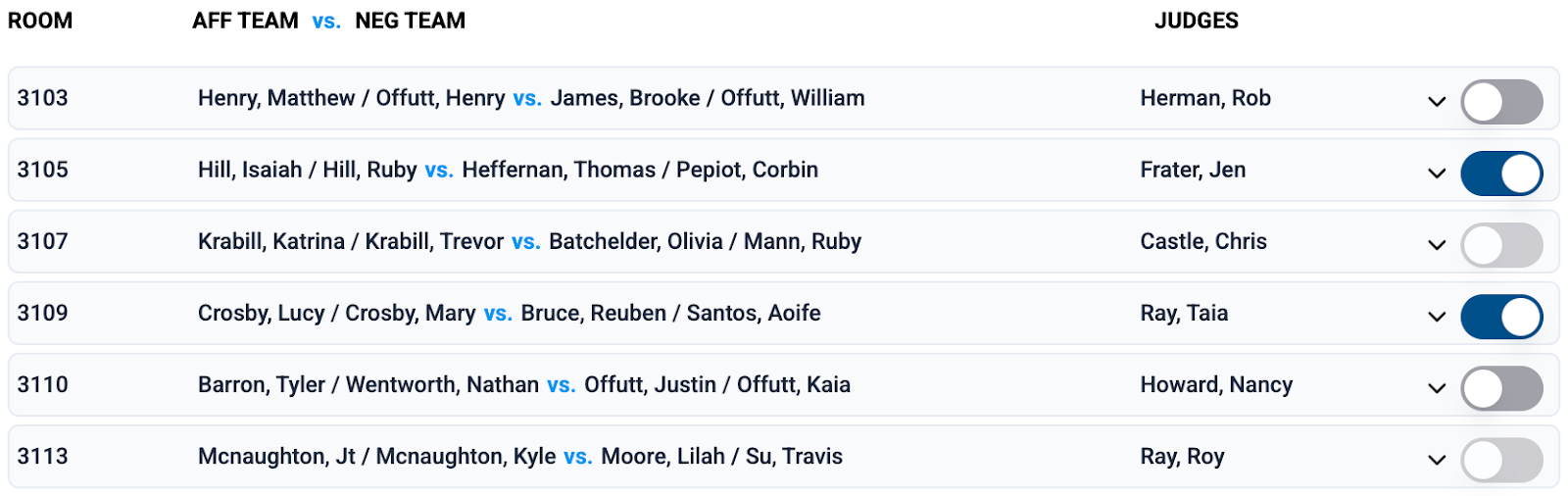
- To review a room’s results, click on the match:
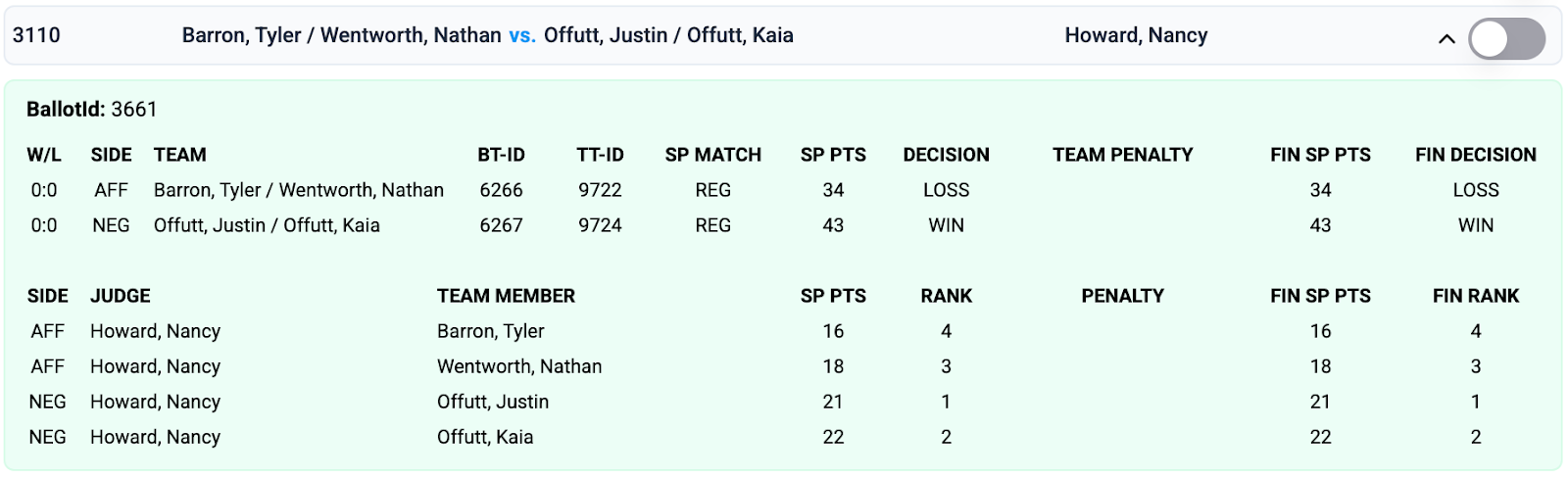
- Check for reasonableness in the final decision, speaker points, and ranks. This means one team should win and one should lose. Ranks should all be unique (1 or 2 for LD; 1-4 for TP), and speaker points should be 6-30 per debater (with team speaker points reflecting the sum of its members’ points). Speaker ranks are assigned by the judge and do not necessarily reflect speaker points.
- If an unexpected Forfeit appears on the ballot, the Tab Lead should report this to the TD/RC and Compliance Lead immediately, even if the ballot has not yet been submitted.
- Any penalties applied should be seen on the ballot, with the FIN DECISION or FIN SP PTS reflecting the penalty.
- Once the ballot has been reviewed and found reasonable, the Tab Team Member should click the toggle to approve the room.
Review & Approve the Round (Tab Lead)
- Once all of a round’s ballots have been reviewed by the whole team and approved, the Tab Lead should select Approve Round.
- Once the round has been approved, the Tab Lead should select the next preliminary round for that style of debate to match the subsequent round or proceed to Debate Elim Prep if following Round 6.
Who should click/toggle what?
- It is best practice to have one person do the toggling for all ballots in a type of event to avoid confusion.
- Typically, a Tab Team Member will toggle ballots, and the Tab Lead will approve and match rounds and apply penalties.
- If needed or requested by the TD/RC or Compliance Lead, the Tab Lead may access a student’s ballot by clicking on the information symbol in the top right corner of the tabulation ballot results:
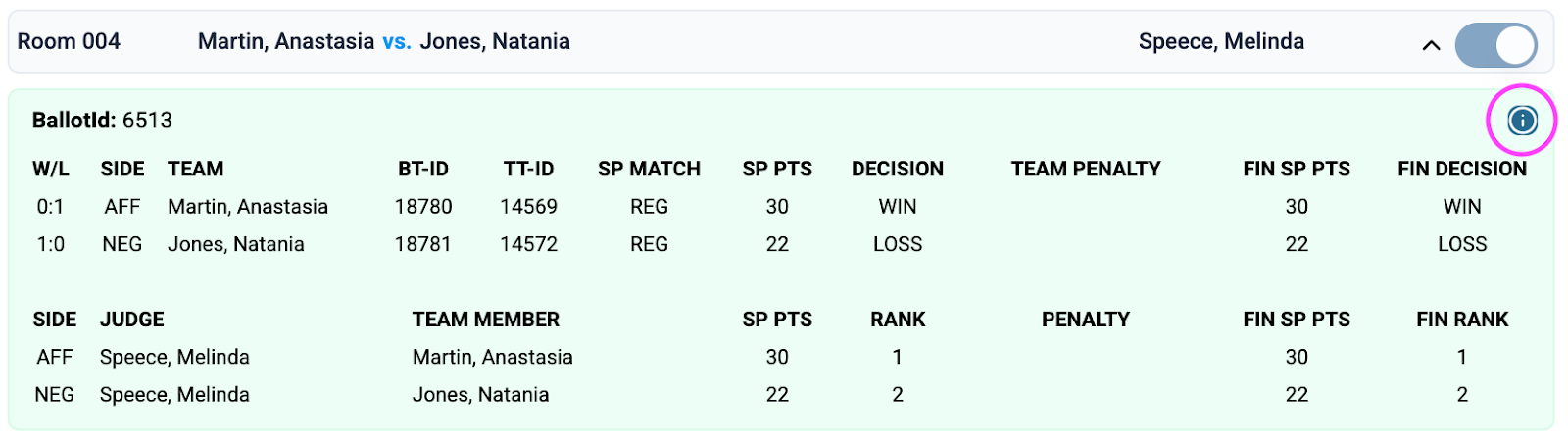
- To share with the Compliance Lead, the Tab Lead should Save as PDF and upload the file(s) in thread responding to the ballot request.
- If the ballot is longer than one page, you may need to take screenshots to capture all feedback.
Compliance Adjustments (Tab Lead)
- Compliance adjustments may include applying a penalty or removing a penalty. Possible penalties include:
- Loss of Round: assured loss, regardless of the judge’s decision
- Loss of SP: loss of 10 speaker points
- Loss of SP Award: ineligible for speaker award
- DQ: disqualified (not eligible to continue competing or to be recognized in awards)
- Debate prelim penalties can be applied at any time during the preliminary rounds, after the ballot has been submitted. All prelim penalties must be applied before approving the round 6 preliminary seeds.
- Select TP Debate Penalties or LD Debate Penalties from the left navigation.
- Apply Penalties:
- Review each penalty and click Apply.
- The penalty will be applied, and the speaker points or decision will be updated as required.
- Verify Penalties:
- Re-review the results for each room in which a penalty was applied.
- Approve the results for the room when you’ve confirmed the penalty was correctly applied.
What should I look for when approving a debate round?
- Check for reasonableness in the results.
- Watch for less common decisions (i.e., forfeits and double losses) and report any such unexpected decisions to the TD/RC and Compliance Lead immediately.
- Verify correct penalty application and results.