
Content Outline
Dropping a Competitor (Tab Lead)
Competitors must only be dropped at the direction of the TD/RC. If uncertain, be sure to ask whether the student to be dropped is to be removed from all events or only particular ones.
Dropping a Competitor Before Competition Has Begun (Tab Lead)
- Select Dashboard from the top navigation bar.
- Under “Team Data” select the event the competitor is dropping.
- Select the water drop symbol by the competitor’s name.

- A pop-up box will appear:
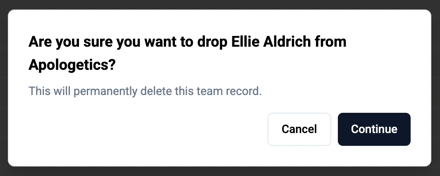
- Double check that the correct competitor and event are mentioned. If so, select Continue.
- A green confirmation should appear at the top of your screen reading: Team Removed.
- Review the event to be sure the competitor’s name no longer appears.
- Continue this process for each event the competitor is dropping.
Reloading a Mistakenly Dropped Competitor (Tab Lead)
- To the right of the Load All Competitors button, select the event to be reloaded from the dropdown options, then choose Load Event Competitors, which will result in the following pop-up:
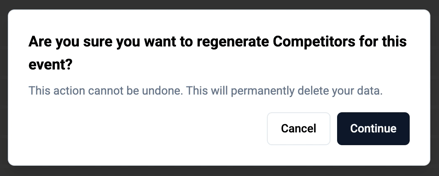
- Select Continue.
- Review the event’s participant list to confirm the dropped student now appears again. If you made any needed drops in this event, you will need to drop them again.
Dropping a Competitor After Competition Has Begun (Tab Lead)
If Ballots HAVE NOT been released to Staff:
- Contact POC to Destroy round
- Tab Lead - Drop competitor from Tabulation Dashboard
- Tab Lead - Generate ballots
Note: Competitor will not show in schedule
If Ballots HAVE been released to staff
- Tab Lead - Drop competitor from Tabulation Dashboard
Note: Competitor will not show in upcoming rounds
Elim Prep will display the last round in which the team competed before the drop in red:

What should I look for when dropping a competitor?
- Confirm that the correct event is being dropped for the correct competitor.
- Look for the confirmation message.
- Verify that the competitor no longer appears in the list of that event’s participants.